
Black Friday Customer Support: A Prep Checklist for Small Support Teams
A week-by-week Black Friday checklist for small support teams: fix the articles customers need, set honest targets, route tickets and keep a clear path to a person.
By Suhep Team · · 8 min read
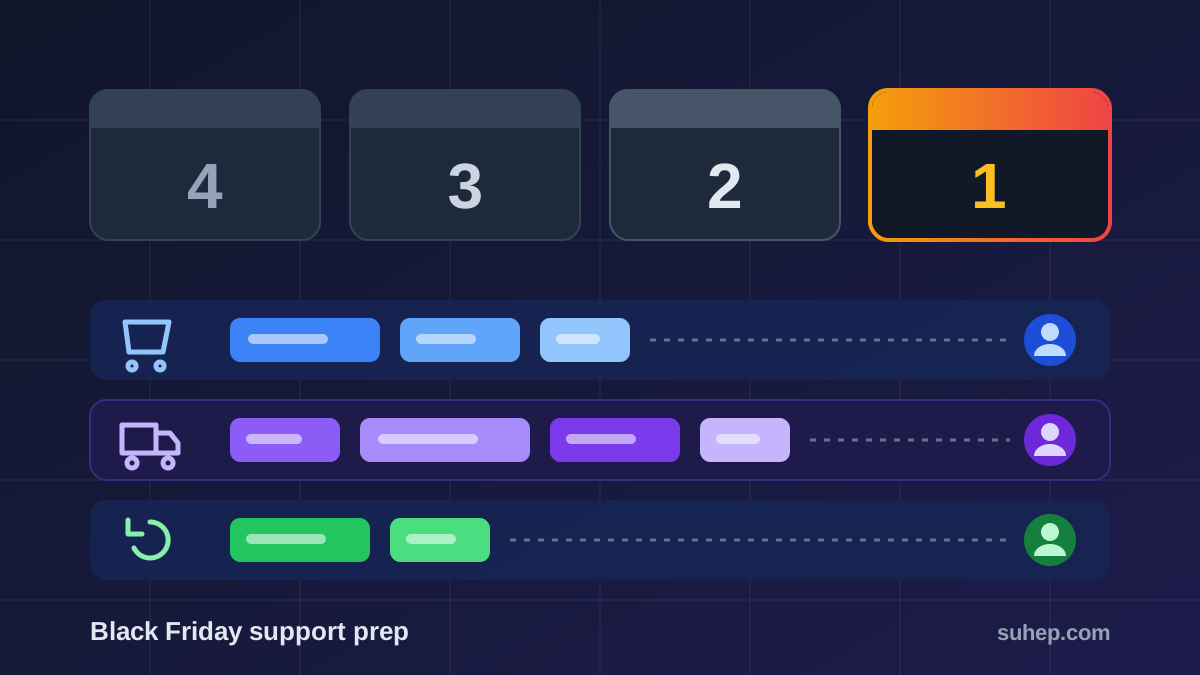
Black Friday falls on Friday 27 November this year, and Cyber Monday on 30 November. For a support team, those dates are not the whole story. Questions start the moment early deals go live, peak when orders are placed and shipped, and come back as returns and exchanges well into December.
The selling season is also getting longer. Shopify's 2026 Black Friday checklist, published on 23 October, cites Adobe Analytics data showing that shoppers spent more than $4 billion online in a single day on 25 separate days of the 2025 holiday season, up from 18 days in 2024. More busy days means more days when your queue can fall behind.
This checklist is for small support teams: a founder answering tickets, or two to ten agents sharing an inbox. It works backwards from the sale, so you can start this week and still be ready.
What changes in the queue during Black Friday
The ticket mix shifts before the volume does. Most Black Friday questions fall into five groups:
- Before buying: does this code stack with the sale price, when does the deal end, will it arrive before a given date?
- At checkout: a discount code that will not apply, a failed payment, a charge that appears twice.
- After buying: where is my order, can I change the address, can I add an item?
- Account problems: password resets and login issues from customers who have not visited since last year.
- After delivery: returns, exchanges, gift receipts and refunds.
Each group needs something different: a clear article, a fast route to the right person, or an honest delay message. Preparing for the groups is more useful than guessing a total ticket count.
Four weeks out: fix the answers customers will look for
Start with last year's tickets from late November and early December. Sort them by topic and list the ten questions that came up most often. If you did not tag tickets last year, read a sample of a hundred and tally them by hand. It takes an hour and it is the most reliable forecast you have.
Then make sure each of those questions has one current, specific article. The ones that matter most at this time of year:
- Sale rules: start and end dates with the time zone, which products are included, and whether codes can be combined.
- Shipping cut-off dates: the last order date for delivery before key holidays, for each shipping option you offer.
- Returns and exchanges: the window in days, whether holiday purchases get an extended window, and who pays for return shipping.
- Order tracking: where the tracking link arrives and what each status means.
- Gift cards and gift orders: how to send a gift, hide prices and use a gift receipt.
Write exact dates and numbers, never "soon" or "a few days". A customer reading at 1 a.m. cannot ask what you meant, and neither can an AI agent answering from the same article. Our guide to writing a knowledge base for AI agents covers how to structure these articles so both people and AI can answer from them.
Three weeks out: set honest response targets for the sale
Your normal targets may not survive the busiest week of the year. It is better to set a temporary target you can keep than to break a promise customers can see. Decide, in writing, three things:
- Which tickets come first. Payment failures and orders that cannot ship are more urgent than questions about next year's sale. Our explainer on P1 to P4 ticket priority levels shows how to define them.
- Your temporary first response target for each priority, and the hours it applies.
- Where you will tell customers. A short line on your contact page and in your auto-reply, such as "During the sale we reply to order and payment questions within 4 business hours and other questions within 1 business day." Use your own real figures.
In Suhep, response and resolution targets are set per priority in Admin > SLA Settings, where you can also set business hours (the SLA clock pauses outside them) and turn on escalation when a ticket is at risk of missing its target. The dashboard's SLA At-Risk panel lists tickets that are close to their deadline, with a Take Over button so anyone on the team can pick one up. The ticket priorities and SLA help article lists the default targets.
Two weeks out: route tickets before they pile up
In a busy week, the slowest part of support is often the shared inbox itself: everyone reads everything, and nobody is sure who owns what. Agree on owners before the sale:
- Payments and refunds go to one or two people who can actually check the payment provider.
- Shipping and order changes go to whoever can reach the warehouse or courier.
- Everything else is shared, oldest first.
If you use Suhep, routing rules live in Admin > Teams > Routing. Tickets can be assigned by category, by priority, by round robin or to the agent with the fewest open tickets, and anything that matches no rule stays in a shared queue where any agent can take it over. See ticket assignment and routing for the setup steps.
This is also the week to review your saved replies. Old replies with last year's dates or a retired returns policy do more damage at volume, because they get sent hundreds of times. Our support macro audit checklist walks through a one-hour review. For the sale, add a small set of new replies: shipping delay, code not applying, payment failed, and how to start a return.
One week out: give customers a clear way to reach a person
Automation helps most during peak weeks, and it can also go wrong at scale. On 20 October 2026, New York City's Department of Consumer and Worker Protection proposed a rule against customer service "doom loops". As proposed, it would require businesses to tell customers when they are dealing with an automated system such as an AI chatbot and to give them an easy way to reach a human representative. The proposal is open for 30 days of public comment and is not final, but it is a useful standard for any team, wherever you are based.
Before the sale:
- Label your bot. Say in the first message that the customer is talking to an AI assistant.
- Make the human route one click. Do not hide it behind three failed answers.
- Keep risky topics with people. Refunds, double charges and account access are where a wrong automated answer costs the most.
- Test the questions you expect. Ask your assistant the ten questions from your list, as a customer would type them, and fix the articles behind any weak answers.
In Suhep, every AI answer carries a confidence score. By default, only answers scoring 80% or higher are eligible to resolve a ticket automatically, and anything under 40% goes straight to a person. You can change the threshold in AI Settings, but the busiest week of the year is the wrong time to lower it just to clear the queue. The Test AI panel in AI Settings shows which article the AI matches for a sample question. You can also add widget quick actions, and Suhep's recommended set includes a "Contact Support" button that sends "I need to talk to a human". Our AI-to-human handoff checklist covers how to pass the conversation over with context.
Sale week: a 15-minute daily review
Once the sale starts, hold a short review at the same time each day. Keep it to four questions:
- What is new? Read the ten most recent tickets. A new problem, such as a broken code, usually shows up there before anywhere else.
- What is missing? In Suhep, the dashboard's KB Gap Alerts show topics customers ask about that have no matching article. Write or fix the top one that day.
- What is late? Check tickets at risk of missing their target and move people to them.
- What should we tell everyone? If a courier is delayed or a payment method is failing, post one status line on the help center and in your auto-reply, so customers do not each have to ask.
Expect more junk in the queue as well. Sale traffic attracts fake orders, bot sign-ups and phishing replies. If spam starts crowding out real customers, our guide on stopping spam tickets without losing real ones explains what to filter and what to leave alone.
After Cyber Monday: returns, then a short review
The second wave is quieter but longer. Returns, exchanges and "my gift arrived broken" tickets continue for weeks, so keep the returns article at the top of your help center until your holiday returns window closes.
When the rush is over, spend half an hour on a review while it is fresh:
- Which three questions created the most tickets, and could an article have answered them?
- Did you meet the temporary targets you published? Our guide to measuring first response time explains how to calculate it fairly.
- Which saved replies were edited or replaced most often during the week?
- What would you set up a week earlier next year?
Save the answers next to this checklist. Next November, that note is your starting point.
Sources
- Shopify: Black Friday Checklist 2026, 25 BFCM Prep Steps (23 October 2026)
- NYC Department of Consumer and Worker Protection: Mamdani Administration Proposes Ban on AI Customer Service Doom Loops (20 October 2026)
Frequently asked questions
When is Black Friday 2026?
Black Friday 2026 is on Friday 27 November, the day after US Thanksgiving. Cyber Monday is on 30 November 2026. Many stores start early deals weeks before, so support questions usually begin well before the weekend itself.
How early should a support team prepare for Black Friday?
Four weeks is a comfortable lead time for a small team: one week to fix help articles, one to set temporary response targets, one for routing and saved replies, and one to test automation and the route to a human. If you are starting later, do the help articles and the human route first.
Should I use an AI chatbot for Black Friday customer support?
It can answer repeat questions such as shipping cut-off dates and returns windows, as long as those answers come from current articles. Tell customers they are talking to an AI, keep payment, refund and account questions with people, and give customers a one-click way to reach a human.