
Email Help Desk Ticketing: Turn a Shared Inbox Into a Ticket System
How an email help desk turns a shared support inbox into tickets with owners, statuses and history, plus a six-step setup and the mistakes that make email tickets messy.
By Suhep Team · · 7 min read
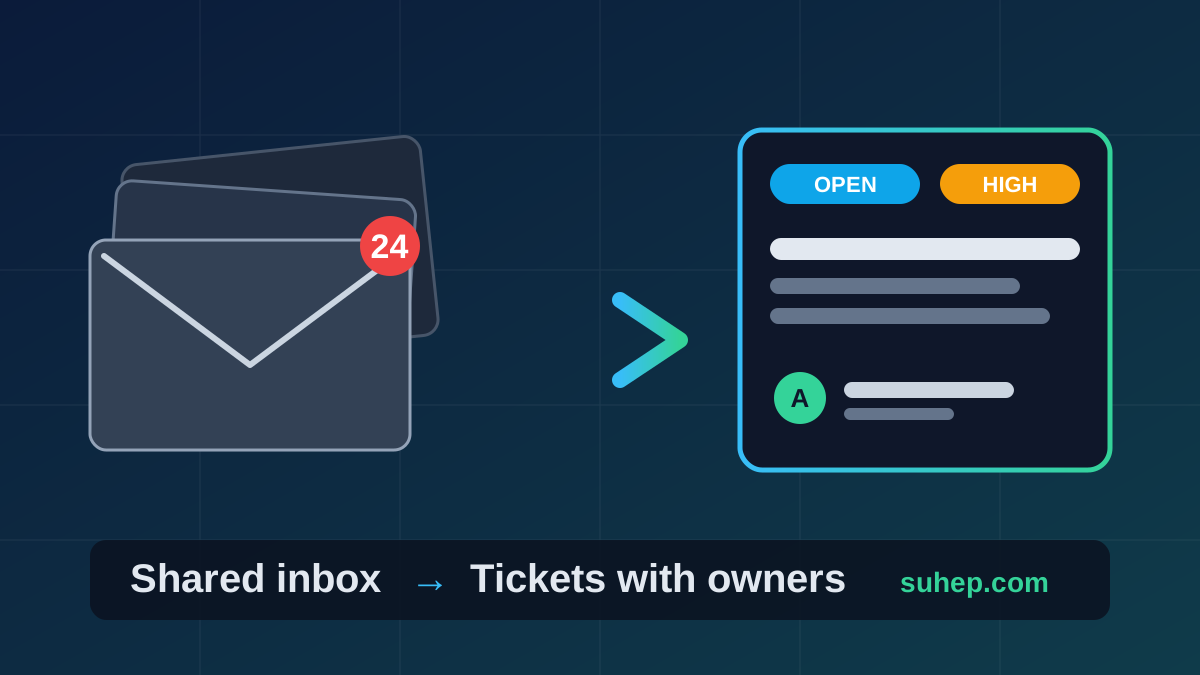
Most small teams start support the same way: a shared inbox such as support@ or help@, a few people with access, and a habit of replying when someone has time. It works until the first week it does not. Two people answer the same message, a customer waits four days because everyone thought someone else had it, and nobody can say how many requests came in last month.
An email help desk fixes that without asking customers to change anything. They still write an email. Behind the scenes, every message becomes a ticket with an owner, a status and a history. This guide explains what changes when you move from a shared inbox to email ticketing, what to set up first, and the mistakes that make email tickets messy.
Shared inbox vs email help desk: what actually changes
A shared inbox is a mailbox that several people can read. An email help desk is a system that turns each incoming message into a record. The difference shows up in five places:
- Ownership. In an inbox, a message is unread, read or deleted. In a help desk, a ticket is assigned to a person or a queue, so you can see who is responsible.
- Status. A ticket is open, in progress, pending or resolved. An email just sits there. Our guide to helpdesk ticket statuses explains how each status should be used.
- History. Replies, internal notes and changes stay on one ticket, instead of living across forwards and private chats.
- Reporting. Once every request is a ticket, you can count them, time the first reply and see which topics repeat.
- Handover. When a teammate is away, the open tickets are visible and can be reassigned. Nothing is stuck in one person's mailbox.
None of this requires a large team. A single founder benefits from the first two points on day one, because a ticket list is a to-do list that cannot lose a message.
How email becomes a ticket
The mechanics are simple. Customers write to your public support address. That address is connected to the help desk, usually by forwarding the mailbox to the help desk's inbound address. The help desk creates a ticket from the sender, the subject and the body. When your team replies from the ticket, the customer receives the reply by email, and in a typical help desk the customer's answer is matched back to the same ticket.
In Suhep, email is one of the ways a ticket can be created. Tickets can also come from the support form at suhep.com/tickets, from the chat widget when the AI cannot resolve a question, or from an agent creating a ticket on a customer's behalf. Suhep's help article on setting up your first ticket notes that the Email channel is included on every plan, Free included, and that forwarded emails become tickets where inbound forwarding is enabled for your workspace. If you want email tickets, confirm that inbound forwarding is switched on for your workspace before you point your support address at it.
Set up your email ticketing in six steps
You can do all of this in an afternoon.
1. Choose one public address. Pick a single address, such as support@yourdomain, and publish only that. Every extra address (sales@, info@, a founder's personal inbox) is another place where requests can hide. If you must keep others, forward them into the same help desk.
2. Decide your categories. Keep them few and tied to who will act on them. A typical set is general, billing, technical, feature request and bug report, which is the default list in Suhep's ticket settings. Start with fewer categories than you think you need; you can always split one later.
3. Decide your priorities. Suhep uses low, medium, high and urgent. Write one sentence for each that a new teammate could apply without asking. For example, "urgent: the customer cannot use the product or has been charged incorrectly." Our guide to P1 to P4 priority levels and SLA targets has worked examples you can adapt.
4. Choose who gets what. Suhep's ticket settings include auto-assignment, which routes tickets to agents by category. Even if you use it, agree on a fallback owner for anything that does not match, so no ticket sits unassigned.
5. Set the customer emails. Customers should know you received their request, and they should hear when you reply and when the ticket is resolved. In Suhep, customers receive email when a ticket is created, when an agent replies, when the status changes to resolved or closed, and when a ticket is escalated. You can turn each type on or off under Settings, and customise the sender name and reply-to address. See ticket email notifications for the details.
6. Send a test. Email your support address from a personal account, watch the ticket arrive, reply from the ticket, check that the answer reaches your inbox, then answer it and see where your reply lands. Know how your setup behaves before customers find out. Do this before announcing the address anywhere.
The daily routine for an email ticket queue
A help desk is only as good as the habits around it. Small teams do well with a short, repeatable routine:
- Morning sweep. Open the list sorted by priority, then oldest first. Anything urgent gets picked up straight away.
- Claim before you type. Assign the ticket to yourself first, so nobody else starts the same reply.
- Reply, then set a status. After answering, move the ticket to pending if you are waiting for the customer, or resolved if the problem is fixed. A ticket with no status change is a ticket you will meet again.
- Use team-only notes for context. Suhep lets agents add notes that are never shown to the customer, which is the right place for "waiting on the payment provider" or "customer is a repeat contact." It is described in the replying to tickets article.
- End-of-day scan. Use search and filters to find anything still open past your target, such as urgent and unresolved. Suhep supports saved views for filters you use every day, such as "My open tickets" or "Urgent unresolved". The searching and filtering article lists the options.
Writing replies that work in email
Email replies have a few rules that chat does not:
- Answer in the first two lines. Customers often read the preview only. Put the answer or the next step up front, then the detail.
- One request per reply. If you need information, ask for all of it in one message, as a short list, rather than three separate back-and-forths.
- Say what happens next. "I have passed this to our billing lead; you will hear from us by tomorrow" is better than "we are looking into it", but only promise what you can keep.
- Keep a saved reply library, and review it. Repeated answers are worth saving, but old replies with wrong policies cause trouble. Our macro audit checklist shows how to review them in an hour.
If you use AI suggestions, treat them as a draft. In Suhep, when the AI has analysed a ticket you can see its suggested reply and confidence score, use the suggestion to fill the reply box, edit it, and then send. A person stays in charge of what the customer receives.
Six mistakes that make email tickets messy
- Several public addresses with no owner. Requests arrive in places nobody checks.
- No fallback assignee. Tickets that match no rule stay invisible.
- Replying from a personal mailbox. The conversation leaves the ticket, and the history is lost. Always reply from the ticket.
- Never closing tickets. A list full of finished work hides the real queue. Resolve when the problem is fixed.
- Ignoring spam and automated mail. Out-of-office replies, newsletters and bot messages inflate the count. Our guide to stopping spam tickets without losing real customers explains how to filter safely.
- No target for the first reply. Without a number, nobody notices slow replies. See what first response time is and how to measure it.
Moving from your shared inbox without losing anything
You do not have to migrate old mail. Pick a day, point your public support address at the help desk, and keep the old inbox open for a week for stragglers. Reply to any old threads from the ticket system when customers write back. Tell your team that from that day, nothing is answered outside the ticket. After two weeks, review the first numbers: how many tickets came in, how long the first reply took, and which category was largest. If you are new to the whole idea, how a ticketing system works is a good companion read.
Frequently asked questions
What is an email help desk?
An email help desk is a system that turns each incoming support email into a ticket with an owner, a status and a conversation history. Customers keep using email, while the team gets assignment, notes, search and reporting that a plain shared inbox does not provide.
Can I use my existing support email address?
Usually yes. You keep the public address your customers already know and forward it to the help desk's inbound address, so incoming mail becomes tickets. Test with a message from a personal account before you rely on it.
Does Suhep support email tickets on the Free plan?
Suhep's help centre states that the Email channel is included on every plan, Free included. Forwarded emails become tickets where inbound forwarding is enabled for your workspace, so check that setting first.
Why not just keep using a shared inbox?
A shared inbox cannot show who owns a message, what status it is in or how long customers wait. Once more than one person answers email, or volume passes a few messages a day, tickets prevent duplicate replies and lost requests.